- Aurora is a proprietary technology from AWS (not open sourced)
- Postgres and MySQL are both supported as Aurora DB (that means your drivers will work as if Aurora was a Postgres or MySQL database)
- Aurora is “AWS cloud optimized” and claims 5x performance improvement over MySQL on RDS, over 3x the performance of Postgres on RDS
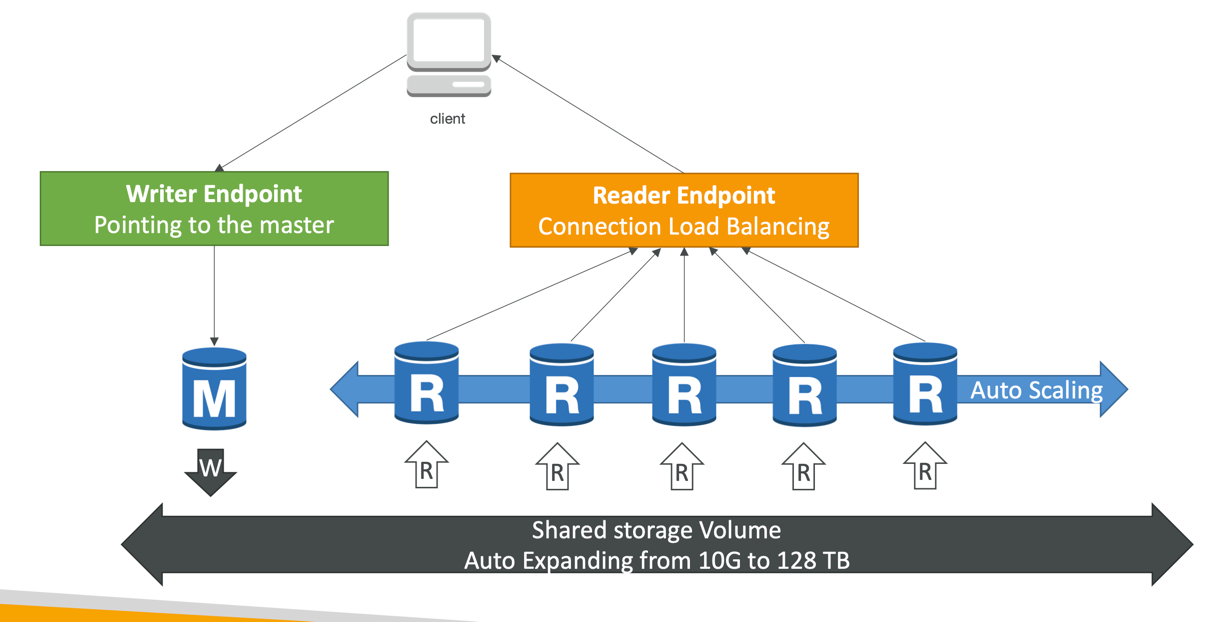
- Aurora storage automatically grows in increments of 10GB, up to 128 TB.
- Aurora can have up to 15 replicas and the replication process is faster than MySQL (sub 10 ms replica lag)
- Fail over in Aurora is instantaneous. It’s HA (High Availability) native.
- Aurora costs more than RDS (20% more) – but is more efficient
Amazon Aurora Serverless
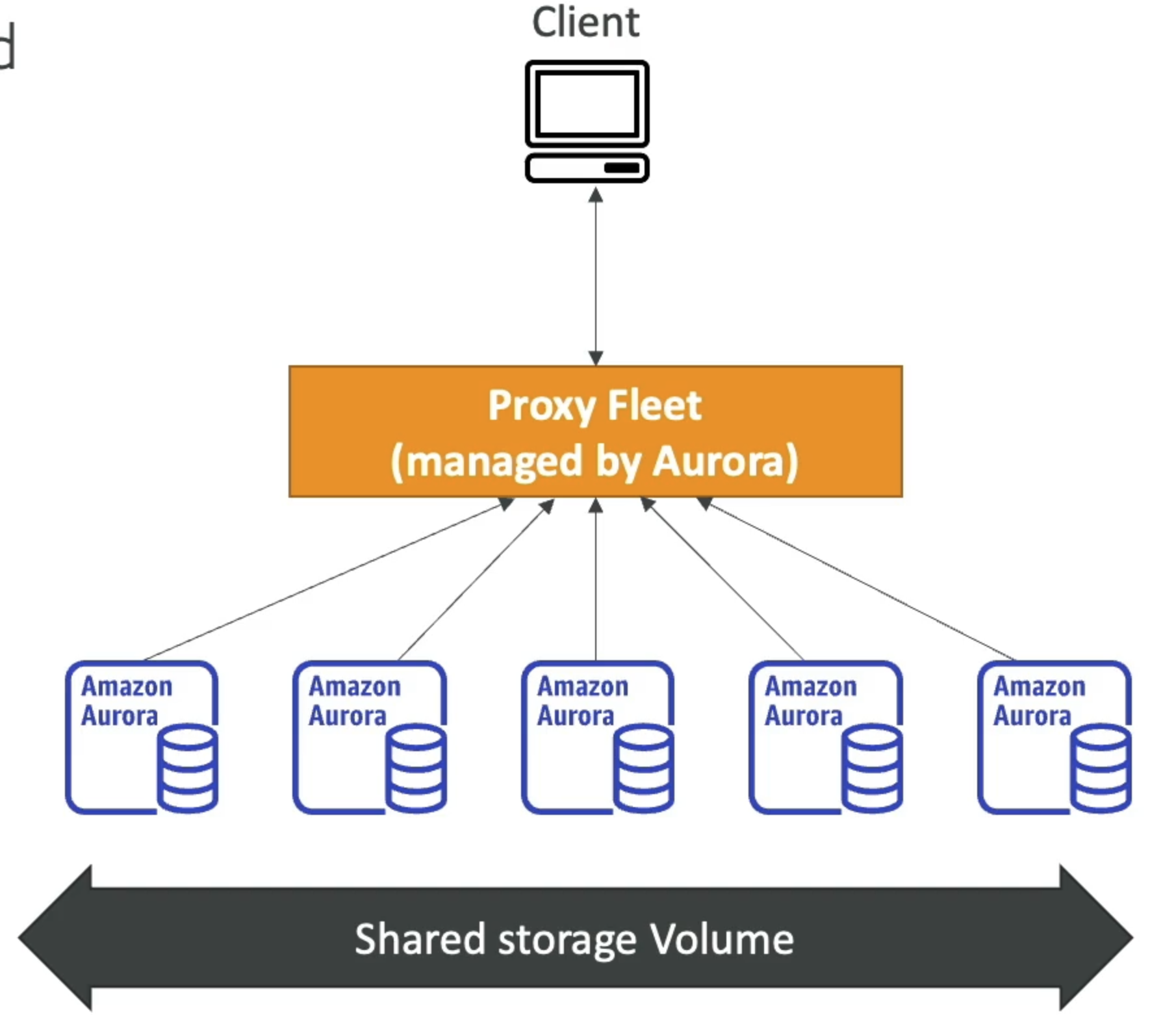
- Automated database instantiation and auto-scaling based on actual usage
- Good for infrequent, intermittent or unpredictable workloads
- No capacity planning needed
- Pay per second, can be more cost-effective
Aurora High Availability and Read Scaling
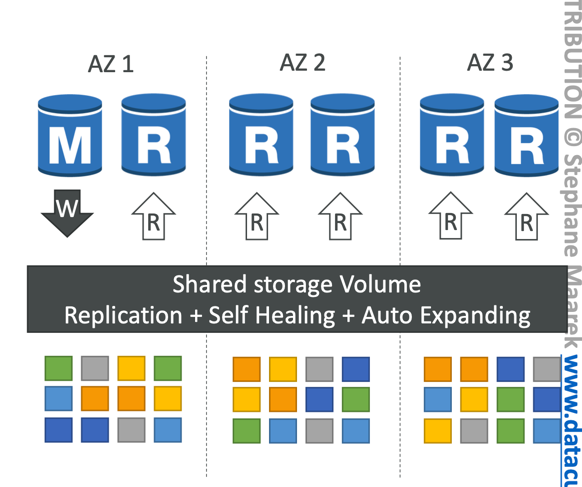
- 6 copies of your data across 3 AZ:
- 4 copies out of 6 needed for writes
- 3 copies out of 6 need for reads
- Self healing with peer-to-peer replication
- Storage is striped across 100s of volumes
- One Aurora Instance takes writes (master)
- Automated failover for master in less than 30 seconds
- Master + up to 15 Aurora Read Replicas serve reads
- Support for Cross Region Replication
Aurora DB clusters
Features of Aurora
- Automatic fail-over
- Backup and Recovery
- Isolation and security
- Industry compliance
- Push-button scaling
- Automated Patching with Zero Downtime
- Advanced Monitoring
- Routine Maintenance
- Backtrack: restore data at any point of time without using backups
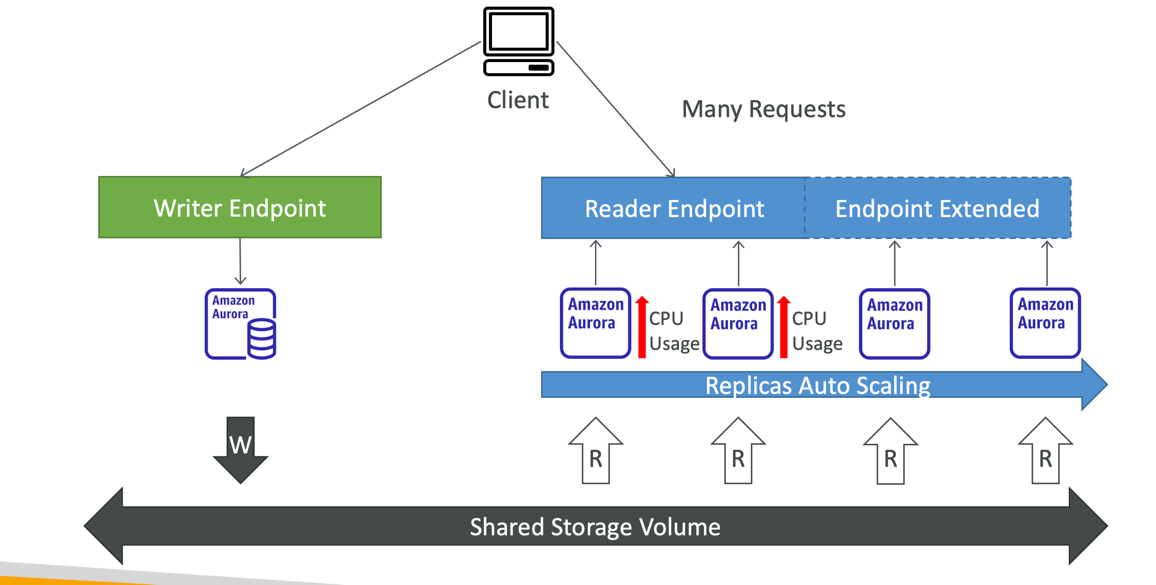
Aurora Replicas - Auto Scaling
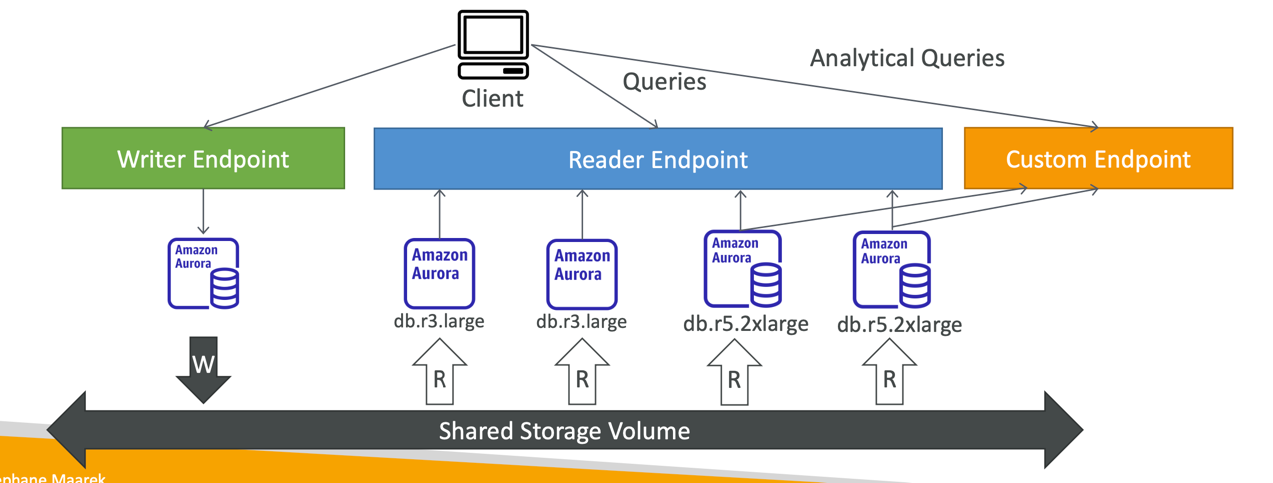
Aurora Custom Endpoints
- Define a subset of Aurora Instances as a Custom Endpoint
- Example: Run analytical queries on specific replicas
- The Reader Endpoint is generally not used after defining Custom Endpoints
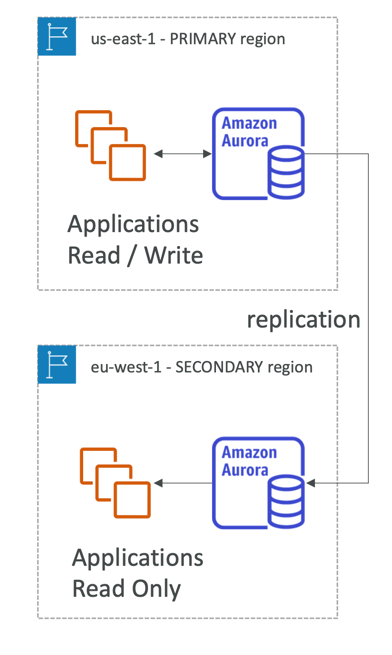
Global Aurora
- Aurora Cross Region Read Replicas:
- Useful for disaster recovery
- Simple to put in place
- Aurora Global Database (recommended):
- 1 Primary Region (read / write)
- Up to 5 secondary (read-only) regions, replication lag is less than 1 second
- Up to 16 Read Replicas per secondary region
- Helps for decreasing latency
- Promoting another region (for disaster recovery) has an RTO of < 1 minute
- Typical cross-region replication takes less than 1 second
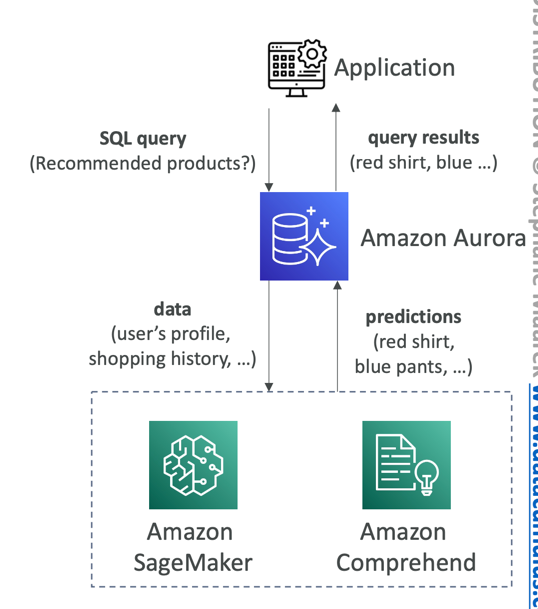
Aurora Machine Learning Integration
- Enables you to add ML-based predictions to your applications via SQL
- Simple, optimized, and secure integration between Aurora and AWS ML services
- Supported services
- Amazon SageMaker (use with any ML model)
- Amazon Comprehend (for sentiment analysis)
- You don’t need to have ML experience
- Use cases: fraud detection, ads targeting, sentiment analysis, product recommendations
Aurora Backup
- Automated backups
- 1 to 35 days (cannot be disabled)
- point-in-time recovery in that timeframe
- Manual DB Snapshots
- Manually triggered by the user
- Retention of backup for as long as you want
Aurora Database Cloning
- Create a new Aurora DB Cluster from an existing one
- Faster than snapshot & restore
- Uses copy-on-write protocol
- Initially, the new DB cluster uses the same data volume as the original DB cluster (fast and efficient – no copying is needed)
- When updates are made to the new DB cluster data, then additional storage is allocated and data is copied to be separated
- Very fast & cost-effective
- Useful to create a “staging” database from a “production” database without impacting the production database