Introduction
-
AWS is pushing for "hybrid cloud"
- Part of your infrastructure is on-premises
- Part of your infrastructure is on the cloud
-
This can be due to
- Long cloud migrations
- Security requirements
- Compliance requirements
- IT strategy
-
S3 is a proprietary storage technology (unlike EFS / NFS), so how do you expose the S3 data on-premise?
-
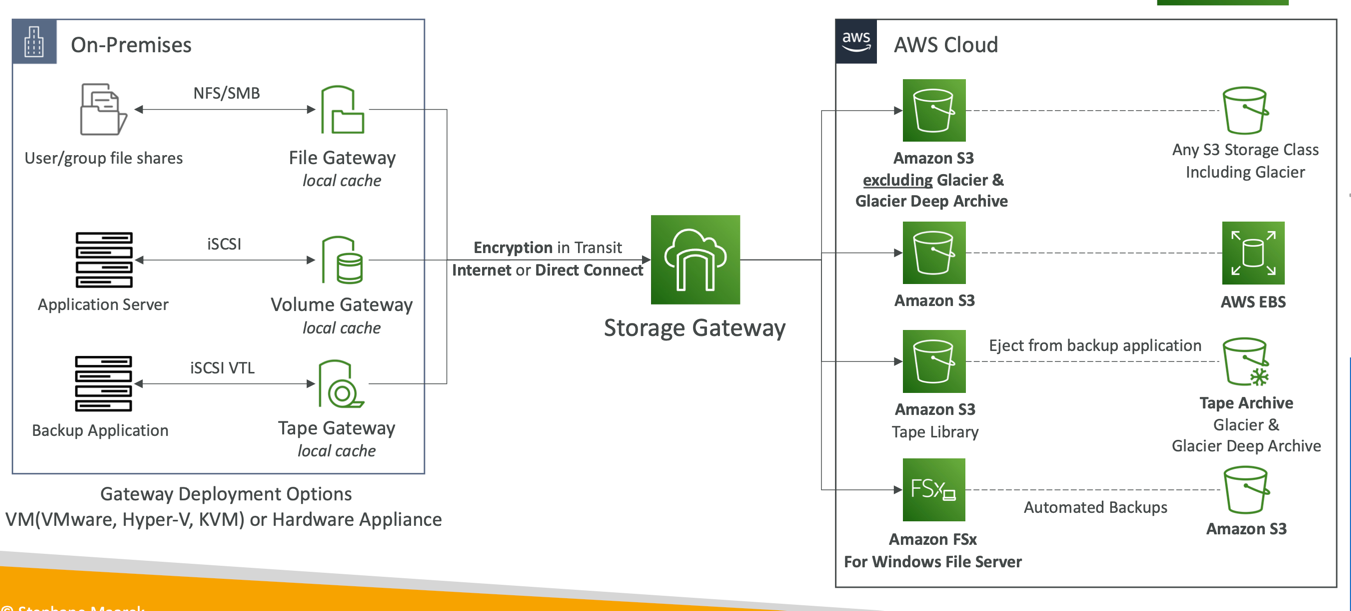
Bridge between on-premises data and cloud data
-
Use cases:
- disaster recovery
- backup & restore
- tiered storage
- on-premises cache & low-latency files access
-
Types of Storage Gateway:
- S3 File Gateway
- FSx File Gateway
- Volume Gateway
- Tape Gateway
AWS Storage Cloud Native Options
S3 File Gateway
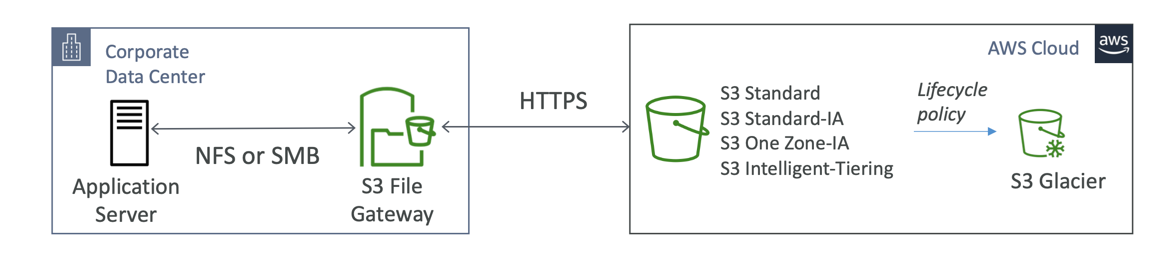
- Configured S3 buckets are accessible using the NFS and SMB protocol
- Most recently used data is cached in the file gateway
- Supports S3 Standard, S3 Standard IA, S3 One Zone A, S3 Intelligent Tiering
- Transition to S3 Glacier using a Lifecycle Policy
- Bucket access using IAM roles for each File Gateway
- SMB Protocol has integration with Active Directory (AD) for user authentication
FSx File Gateway
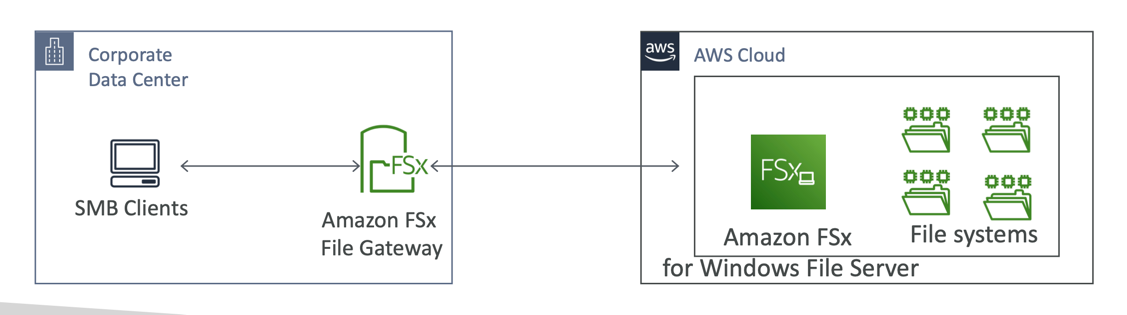
- Native access to Amazon FSx for Windows File Server
- Local cache for frequently accessed data
- Windows native compatibility (SMB, NTFS, Active Directory...)
- Useful for group file shares and home directories
Volume Gateway
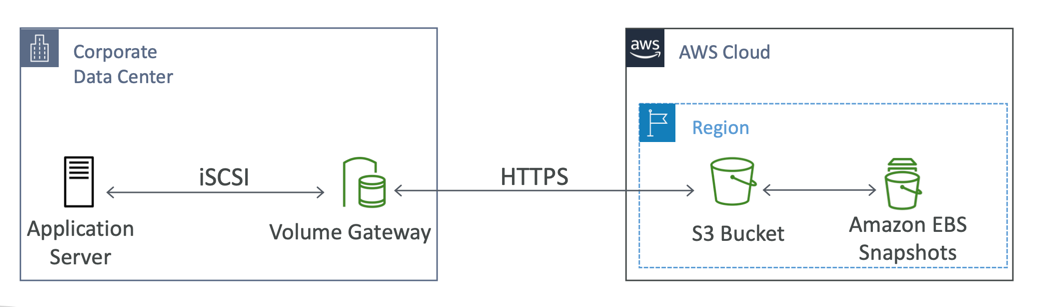
- Block storage using iSCSI protocol backed by S3
- Backed by EBS snapshots which can help restore on-premises volumes!
- Cached volumes: low latency access to most recent data
- Stored volumes: entire dataset is on premise, scheduled backups to S3
Tape Gateway
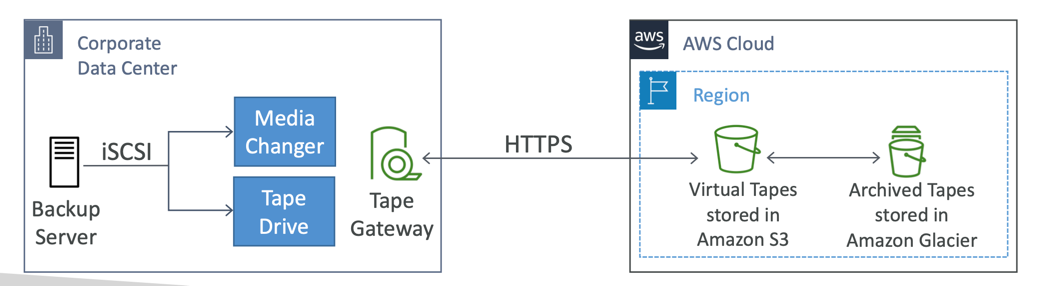
- Some companies have backup processes using physical tapes (!)
- With Tape Gateway, companies use the same processes but, in the cloud
- Virtual Tape Library (VTL) backed by Amazon S3 and Glacier
- Back up data using existing tape-based processes (and iSCSI interface)
- Works with leading backup software vendors
Storage Gateway – Hardware appliance
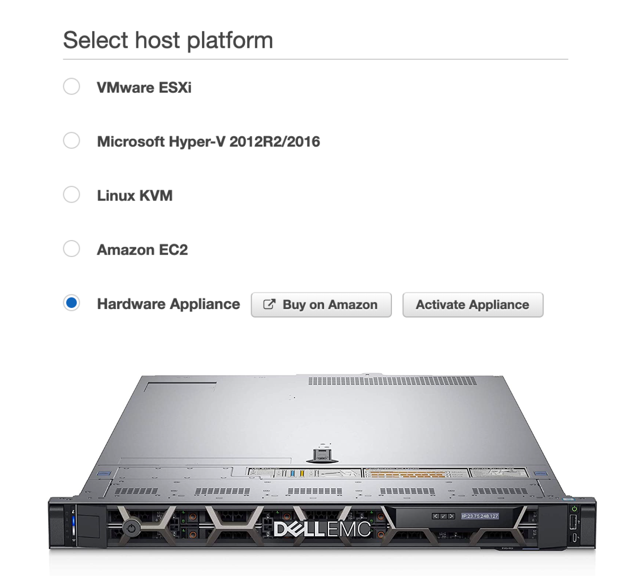
- Using Storage Gateway means you need on-premises virtualization
- Otherwise, you can use a Storage Gateway Hardware Appliance
- You can buy it on amazon.com
- Works with File Gateway, Volume Gateway, Tape Gateway
- Has the required CPU, memory, network, SSD cache resources
- Helpful for daily NFS backups in small data centers
Storage Gateway Summary